Shopify Integration
Follow this exact flow to connect Shopify with Jottler.
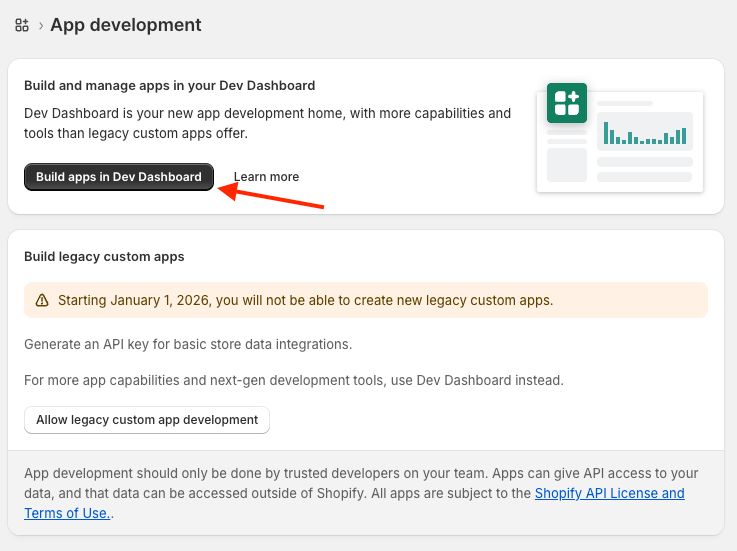
Step 1: Open Shopify Dev Dashboard
Navigate to https://dev.shopify.com/.
You can also get there via:
Settings -> Apps -> Build apps in Shopify Dev Dashboard.
Step 2: Create app
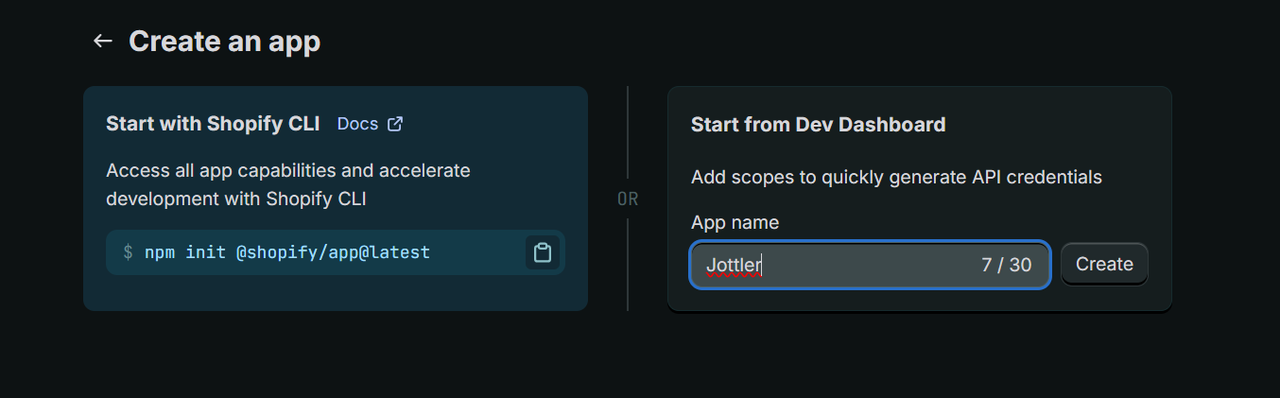
Enter your app name and click the Create app button.
Step 3: Configure app settings
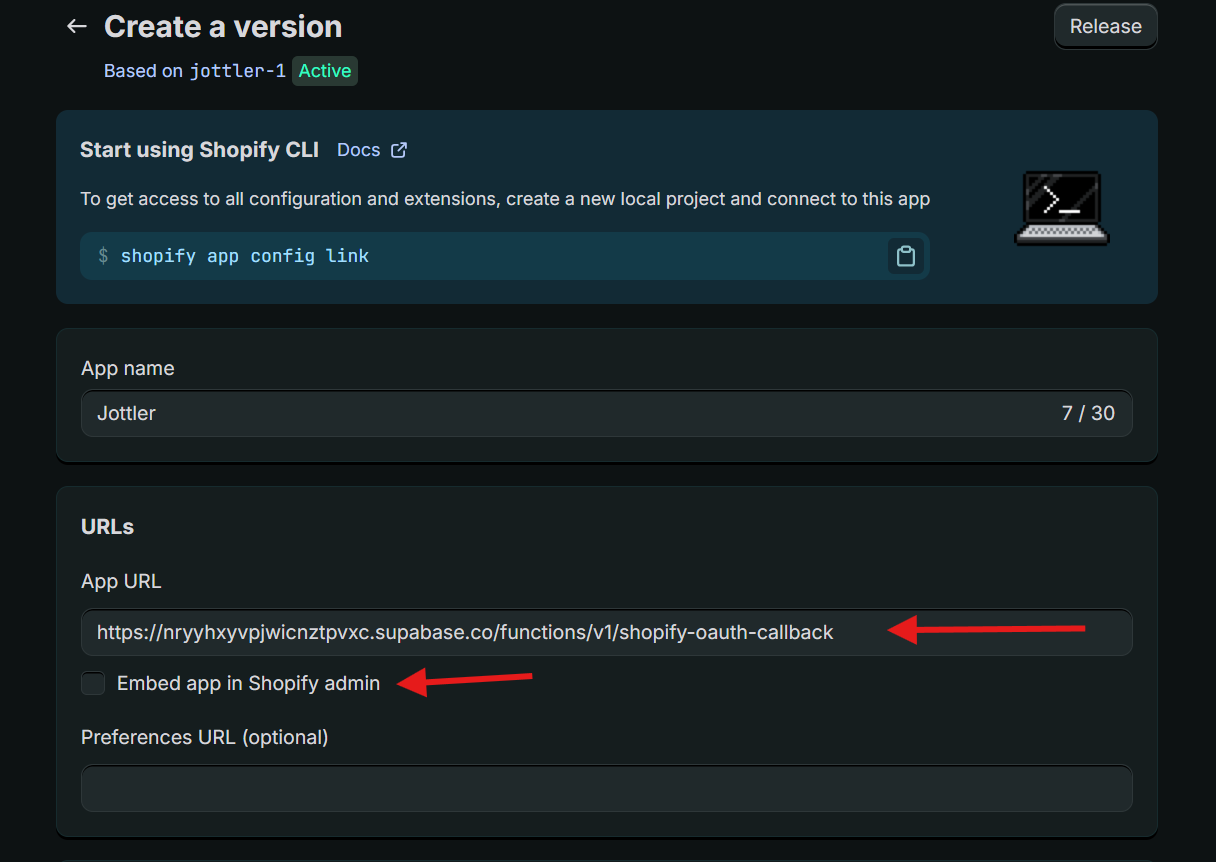
Set the app exactly as follows:
- App URL:
https://nryyhxyvpjwicnztpvxc.supabase.co/functions/v1/shopify-oauth-callback - Uncheck:
Embed app in Shopify admin - Scopes:
read_content,write_content
Important: Use this App URL exactly as written for Jottler OAuth callback.
Then go to the app Settings tab and copy:
- Client ID
- Client Secret
Click the Release button.
Step 4: Shopify connection form in Jottler
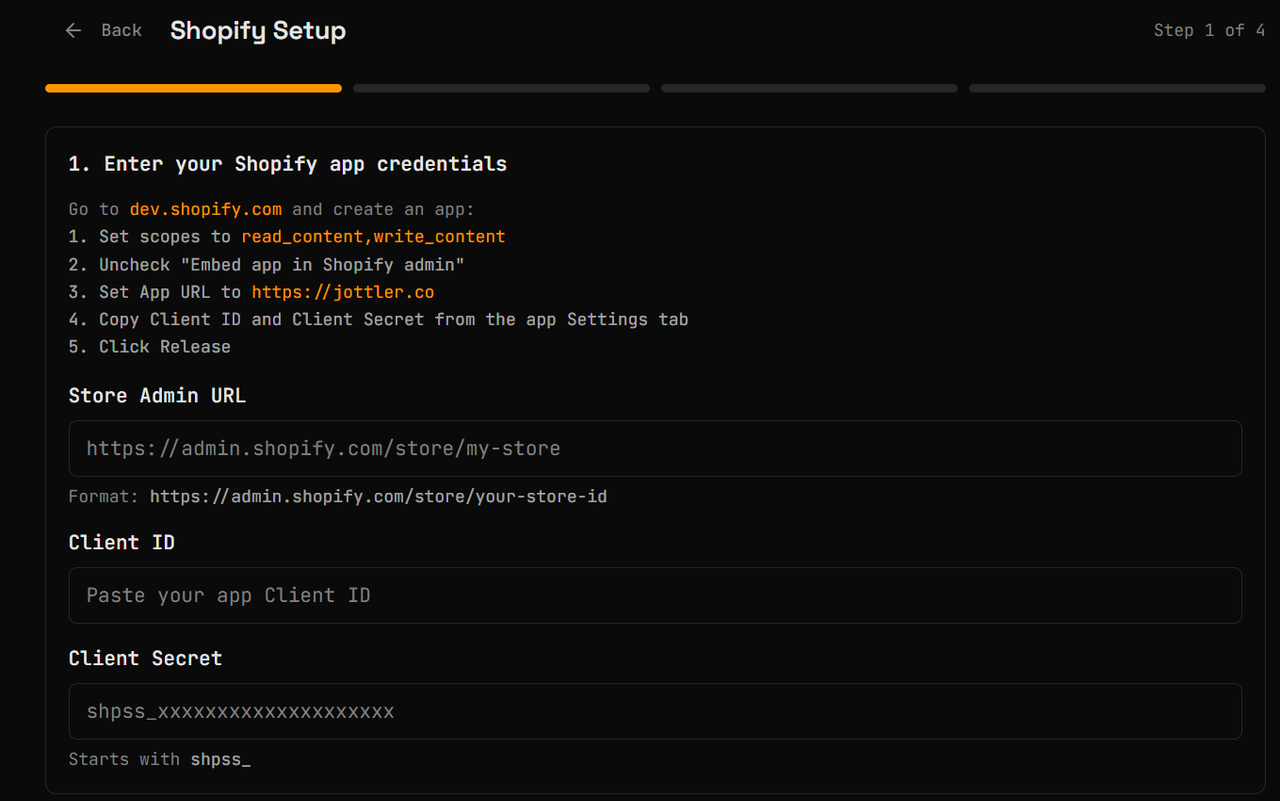
In Jottler, navigate to:
Settings -> Integrations -> Shopify
Enter:
- Shop Admin dashboard URL in this format:
https://admin.shopify.com/store/store-id
- App Client ID
- App Secret (must begin with
shpss_)
Click Connect.
Step 5: Install app and finish
After clicking Connect, you are redirected to Shopify and prompted to install your app.
- Install the app in Shopify.
- Shopify redirects you back to Jottler.
- Complete the integration setup in Jottler.
That is it. Your Shopify integration is ready.
Connection recap
Enter your shop Admin dashboard URL in this format:
https://admin.shopify.com/store/store-id
Enter your app Client ID.
Enter your app Secret (must begin with shpss_).
Click Connect.
You will be redirected to Shopify and prompted to install your app. Install it.
After installation, Shopify redirects you back to Jottler. Complete integration setup.
Note: In some UI versions this path may appear as Menu -> Connect my Blog -> Shopify.